Brian Button from the patterns and practices team gave a session bright and early Friday morning that was great. He covered how to write frameworks. What’s interesting is that he focused on writing frameworks as a non-technical problem since he’s seen too many frameworks that solve the wrong problem very well. J
- Rules for Framework development
- Clients come before frameworks.
- Be sure that you are solving the right problem.
- Quality, quality, quality.
- Be an enabler: You can’t solve every problem, so solve many problems but allow for extensibility points.
- Creating frameworks is a people problem.
Brian stress that it’s impossible to write a good framework without a real application using it. It will end up missing the mark. He suggests, instead, writing several applications and harvest a framework from the common parts of the application. This resonates with me because I believe it’s very difficult to write code that’s intended for reuse. I write code for use, and if it needs to be used elsewhere, I’ll harvest it into a shared library.
Brian was very bold at this Microsoft conference, and I applaud him for this. He stressed automated testing, and he said that here and now there is NO EXCUSE for not writing automated tests. Bravo! Brian contends that functional testing is a waste of a tester’s time. The thought is that testers are too valuable for functional testing that could be covered with automated testing. Testers should be testing the harder things.
Brian shares my frustration about sealed classes in the .Net Framework. He has encountered parts of the framework that are sealed, and when he needs to extend them, he can’t. Sealed classes are hard to write testable code against. He made a good point that I hadn’t thought of before: If you seal a class, you are saying “I can predict the future, and this is all that this class will ever need to do.”
Finally, Brian advocates these in creating a framework.
- Do open planning.
- Practice open prioritization.
- Show visible progress.
- Don’t allow surprises.
Brian recommends
- Resist the urge to create something new. Harvest frameworks from existing applications.
- Encourage quality throughout the project. Lead by example and testers rule!
This evening, I had the privilege of meeting the woman behind microsoft-watch.com, Mary Jo Foley. I snapped a picture of her sitting next to Ian Cecys.
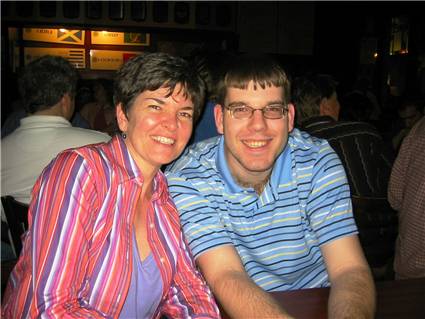
Party with Palermo was a big, fun success. We had about 30 folks at the hotel bar, and the beer was flowing. Everyone had a great time talking about all sorts of geeky things, and we finally called it quits at 12:30 am.
You can see some pictures here: (only works with IE) http://codebetter.com/blogs/jeffrey.palermo/archive/2006/05/11/Party_with_Palermo_2006.aspx
I’ve started a Tech Ed Foldershare for digital pictures. Check
out foldershare.com if you don’t know how it works. I’ve started
it off with some pictures of Party with Palermo. I’ll make
everyone interested a contributor.
The end result of this is that for everyone who participates, we’ll all
get each others’ pictures. Whatever pictures you contribute will
be passed around to all who sync up.
To get started, send me your email address, and I’ll invite you to the photo share.
You can email me through my blog, and
I’ll send you a personal invite. This can be really cool if we
have a handful of contributors. This will also work if you just
want to get all the pictures but don’t have any to contribute.
The main repository is on my personal server, so it’s online all the
time.
[tags: TechEd]
I’m organizing some Chat Backchannels for the breakout sessions at Tech Ed. Currently, a session is a speaker and a sea of people watching. Chat Backchannels have been very successful in other events. This is how it works. Attendees who have laptops open up the chat screen during the session. Participants can post questions and answers. The bandwidth for communication and learning grows with the number of participants. Perhaps someone wasn’t clear of the last point of the presentation. Another attendee can help clarify, and it can have a pretty good debate as well!
Here is how it will work:
When you attend your session, log into MSN chat. Go to a chat room with the name of the room you are in. For instance, if you are in room 109 AB, go to room “teched109ab”. Start the name with “teched” and finish it with the room name. No spaces and all lowercase. I’ve created some already, but if a room doesn’t already exist, create it. You are the first one connected. Other people will then connect, and the chat will begin. Here are some links to some rooms:
http://chat.msn.com/chatroom.msnw?rm=teched52ab
http://chat.msn.com/chatroom.msnw?rm=teched102ab
http://chat.msn.com/chatroom.msnw?rm=teched104abc
http://chat.msn.com/chatroom.msnw?rm=teched107abc
http://chat.msn.com/chatroom.msnw?rm=teched109ab
http://chat.msn.com/chatroom.msnw?rm=teched151ab
http://chat.msn.com/chatroom.msnw?rm=techedgrandballrooma
http://chat.msn.com/chatroom.msnw?rm=techedgrandballroomb
When creating a room (if you have to), when you type in the name, make sure you munge it together and make it all lowercase so that others will find it when typing it in.
Pass the word. This is a grass roots movement that I will be asking the speakers to support. Please blog about this to pass the word. If you know any speakers, encourage them to announce this at the beginning of their session to kick start the chats.
I posted earlier about the details of Party with Palermo 2006. You can read the original post here. Since the announcement, I’ve received tons of emails from folks who are planning to party with Palermo. If you are coming to Tech Ed a day early, this is the place to be Saturday night.
Here are the details again.
Date/Time: Saturday, June 10th @ 7:30PM until late, late, late
Location: Millennium Bostonian Hotel’s Atrium Lounge (collared shirt required)
Who’s Invited: Anyone who reads this. Tell your friends. Invite anyone and everyone. Blog that you will be attending.
At
the Atrium Lounge, we’ll have plenty of drinks, and they have a light
supper menu if you would like to grab something to eat as well. The
lounge looks on to the Faneuil Hall market place as well, so the hotel is right in the heart of where everything is happening in Boston.
The Atrium Lounge has free WiFi Internet, so pictures could be uploaded in realtime.
I try to avoid the GAC at all costs. I prefer xcopy deployments
of applications. However, if you use some projects that all
reference log4net, then you know the pain of trying to resolve log4net
versions. More often than not, it’s not feasible to recompile
every project you depend on. If you need to reference two
libraries that each then reference different versions of log4net, you
have a tough problem because only one file named “log4net.dll” can be
copied to the /bin directory.
log4net is a strong-named assembly, so version information is a part of
finding the assembly. In this case, I had to resort to putting
two versions in the GAC. As much as I hated doing so, it seemed
like the only way out.
gacutil /i log4net.dll (x2)
Resharper 2.0 is finally released. I’ve been using the beta of 2.0 for a while, and I used v1.5 on VS 2003, and it enhances productivity a lot. One of the simplest things that I couldn’t live without is rename. If I rename a class property that is used throughout my solution, it’s done instantly. Without an autorename, I’m left with search and replace, a time-consuming affair.
Check it out!!! They have a 30-day trial. Read the docs and get familiar with the keyboard shortcuts.
You can see the list of new features at:
http://www.jetbrains.com/resharper/releaseNotes20.html
To download this latest version of ReSharper 2.0:
http://www.jetbrains.com/resharper/download
If you remember the article in October that was on MSDN on Test-Driven Development, you remember the hub-bub that it caused because of the inaccuracies, and how it soon was pulled from the web.
Microsoft has published new Guidelines for Test-Driven Development. See the article to see why I think they got it right. 🙂
Many thanks to Paul Schafer and Rob Caron.
